There is arguably no sound more anxiety-inducing for a new parent than silence — the kind that makes you wonder whether everything is okay in the next room. Baby monitors exist precisely to dissolve that worry, replacing it with something far more manageable: information.
What is a baby monitor? At its core, a baby monitor is a radio-based or internet-connected communication device that allows parents and caregivers to remotely observe or listen to an infant or young child, typically while the child sleeps. The transmitter unit sits in the baby’s room, picking up sound, video, or motion data, and relays that information to a receiver — a handheld parent unit, a smartphone app, or both.
Modern baby monitors have evolved dramatically from the single-channel audio devices of the 1980s. Today’s smart monitors can stream 1080p HD video, track room temperature, detect breathing movements, play lullabies, and send real-time alerts to your phone from anywhere in the world. They are simultaneously simpler and far more sophisticated than anything previous generations of parents had access to.
Why do modern parents rely on baby monitors? The answer is layered. On the most basic level, monitors allow parents to be physically present in a different room — cooking dinner, working, or sleeping — without losing awareness of their child. On a deeper level, they offer something even more valuable: peace of mind. Research consistently shows that parental sleep deprivation is one of the greatest challenges in the early months of parenthood, and baby monitors that allow parents to quickly assess whether a sound requires attention (or can safely be ignored) genuinely improve sleep quality for the whole family.
Who should use a baby monitor? The short answer is: most parents of young children benefit from one. That said, specific circumstances make monitors especially valuable. New parents, who are still learning the rhythms of their newborn’s behavior, tend to rely heavily on monitors in the first few months. Working parents who use a nanny or caregiver appreciate the ability to remotely check in. Families living in larger homes — where a baby’s room may be far from the kitchen or home office — find monitors indispensable. Parents of premature infants or babies with documented breathing concerns may benefit from medically-appropriate monitoring solutions.
This guide covers everything you need to know: the different types of monitors available in 2026, the key features that separate a great monitor from a mediocre one, critical safety and privacy considerations, a practical buying framework, and expert tips for getting the most out of whichever device you choose.
Table of Contents
Types of Baby Monitors Explained
Before diving into features and buying advice, it helps to understand the four main categories of baby monitors. Each type serves a different need, comes with different trade-offs, and suits a different kind of parent.
Audio Baby Monitors
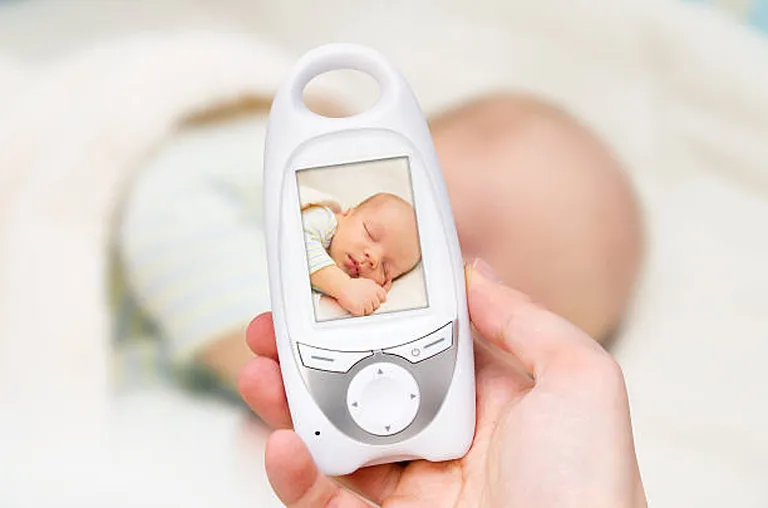
Audio monitors are the original and simplest form of baby monitoring technology. They consist of a microphone-equipped transmitter placed in the baby’s room and a receiver (the parent unit) that the caregiver carries around.
How they work: The transmitter continuously captures ambient sound in the nursery and broadcasts it over a radio frequency — typically DECT (Digital Enhanced Cordless Telecommunications) or FHSS (Frequency Hopping Spread Spectrum) — to the parent unit. Many models use a sound-activated transmission mode, where the device only broadcasts when the sound exceeds a certain threshold, which helps preserve battery life.
Pros: Audio monitors are affordable, straightforward, and reliable. They require no internet connection, which eliminates many of the cybersecurity concerns associated with smart monitors. Battery life tends to be excellent. Setup is minimal — plug in, pair, done.
Cons: The obvious limitation is that audio gives you no visual information. You cannot tell whether your baby has rolled into an uncomfortable position, kicked off their blanket, or simply stirred briefly in their sleep. Audio quality varies significantly between brands, and cheaper models can suffer from static, interference, or a limited range.
Best use cases: Audio monitors are ideal for parents on a tight budget, those in smaller homes or apartments where a quick walk to the nursery is always feasible, and caregivers who prefer simplicity over technology. They are also a strong choice for parents who find constant visual access to their baby increases rather than decreases their anxiety.
Video Baby Monitors
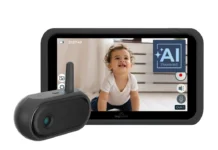
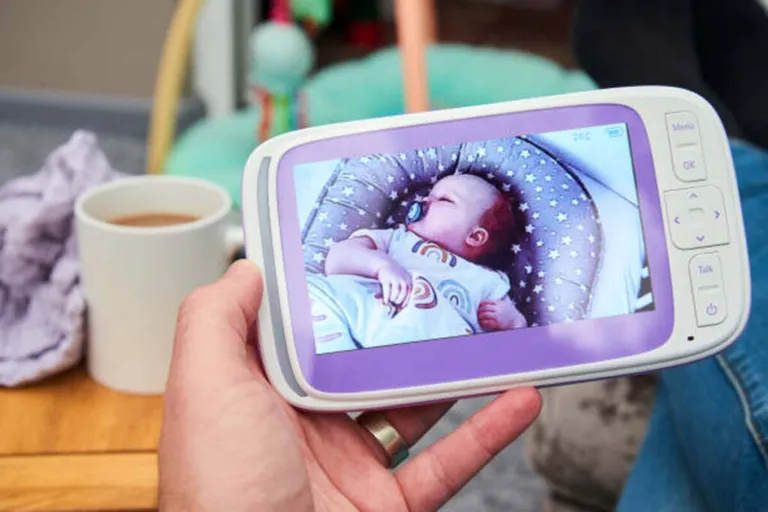
Video monitors add a camera to the equation, transmitting live video footage from the nursery to a dedicated screen on the parent unit — and, in many modern versions, to a smartphone app as well.
Key features: Most video monitors sold in 2026 offer at minimum 720p resolution, though 1080p has become the standard in mid-range and premium models. Night vision is nearly universal, typically achieved using infrared LEDs that allow clear monochromatic footage in complete darkness. Better models include a color night vision mode, made possible by low-light camera sensors rather than infrared, which produces a warmer, more natural image.
Advantages: The primary benefit is visual reassurance. Being able to actually see your baby — to confirm that the small cry was followed by a return to peaceful sleep, or that the rustling sound is just normal movement — is deeply calming for most parents. Video monitors also help you observe sleep patterns, spot if a toddler has climbed out of their crib, or check on an older child without opening the nursery door and potentially waking them.
Limitations: Video monitors are more expensive than audio-only options. Dedicated parent-unit screens can be bulky to carry around the house. And without an internet connection, remote viewing from outside the home is not possible on traditional closed-circuit models.
Wi-Fi Baby Monitors (Smart Monitors)
Smart monitors represent the fastest-growing category in the market. Rather than broadcasting to a dedicated receiver, they connect to your home Wi-Fi network and stream audio and video to a smartphone app.
App-based monitoring: The core appeal is flexibility. Your phone becomes the monitor. This means you can check on your baby from any room in the house, from your office, from a restaurant, or from the other side of the world — as long as you have an internet connection. Many apps include additional features such as sound and motion alerts, sleep logs, cloud storage for video clips, and integration with other smart home devices.
Remote access benefits: For working parents, the ability to check in during the day provides enormous comfort. For parents with more than one child, a single app can sometimes manage multiple cameras placed in different rooms.
Security concerns: This is the most significant drawback of Wi-Fi monitors. Any device connected to the internet is, in theory, susceptible to unauthorized access. Poorly secured smart monitors have been the subject of alarming news stories over the years — strangers accessing camera feeds, or worse, using the two-way audio to communicate with children. The good news is that security has improved dramatically, and with proper setup practices (strong passwords, regular firmware updates, reputable brands with encryption), the risk is manageable. We cover this in depth in the safety section below.
Movement & Breathing Monitors
This category is distinct from visual and audio monitoring. Movement and breathing monitors typically consist of a sensor pad placed under the baby’s mattress, or a wearable device attached to the baby’s ankle, sock, or clothing. The sensor detects micro-movements associated with breathing and triggers an alarm if no movement is detected for a specified period — usually 20 seconds.
Sensor-based tracking: The most common non-wearable design uses a pressure-sensitive mat that registers the subtle rise and fall of a baby’s chest. Wearable options, like the Owlet Smart Sock or the Nanit Breathing Wear, use pulse oximetry or motion-sensing to track breathing patterns continuously.
Who should consider them: Parents of premature babies, infants who have experienced apparent life-threatening events (ALTEs), or families with a history of SIDS may find these monitors particularly reassuring. Some pediatricians recommend them for high-risk infants.
Safety considerations — critically important: Breathing monitors are not medical devices and are not FDA-approved as diagnostic or preventive tools for SIDS (Sudden Infant Death Syndrome). The American Academy of Pediatrics (AAP) does not recommend commercial home breathing monitors as a strategy to prevent SIDS in healthy infants. They can produce false alarms — causing significant parental anxiety — and a false sense of security. If you are genuinely concerned about your baby’s breathing, speak with your pediatrician rather than relying solely on a consumer device.
Key Features to Look for in a Baby Monitor
Once you have decided which type of monitor fits your needs, the next step is evaluating specific features. Not all features are equally important — and some are genuinely worth paying extra for.
Video Quality & Night Vision
In 2026, anything below 720p is considered entry-level, and 1080p is the benchmark for quality monitoring. Higher resolution allows you to see fine details — the expression on your baby’s face, whether their eyes are open or closed, the position of their limbs. For larger rooms or cameras mounted at ceiling height, higher resolution becomes even more important.
Night vision quality varies widely. Infrared night vision is standard and effective, but it produces black-and-white imagery. Premium monitors now offer low-light color sensors that can produce usable color footage in near-darkness, which many parents find more intuitive and less clinical.
Audio Clarity & Two-Way Talk
Crystal-clear audio transmission is non-negotiable. You need to be able to hear the difference between a baby stirring briefly and one building toward a full cry. Look for monitors with noise-canceling microphones, minimal static, and good volume range on the parent unit.
Two-way talk — the ability to speak through the monitor’s speaker from the parent unit — is a feature many parents find invaluable. Being able to say a few soothing words, or play a familiar voice, can sometimes settle a baby without requiring a physical trip to the nursery.
Range and Connectivity
For audio and video monitors operating on a dedicated radio frequency, range is a key specification. Manufacturers quote “open field” range, which is almost always significantly higher than real-world range in a home with walls, floors, and interference from other electronics. A monitor rated for 1,000 feet of open range might perform reliably at 150-200 feet inside a multi-story home. For larger homes or thick concrete walls, prioritize monitors with strong range ratings and DECT or FHSS technology, which are more resistant to interference than older analog signals.
For Wi-Fi monitors, range is largely a function of your home network quality rather than the monitor itself.
Battery Life & Power Options
Parent units typically run on rechargeable batteries, and battery life ranges from 6 hours to well over 20 hours depending on the model and screen brightness settings. If you are using a video monitor with the screen running continuously, expect battery life to be on the shorter end. Look for models with a “VOX” or sound-activated mode, which turns the screen on only when sound is detected — this significantly extends battery life.
The transmitter unit is usually plugged into a wall outlet, so battery life is less of a concern there. However, some travel-friendly models include rechargeable transmitters for portability.
Mobile App Integration
For Wi-Fi monitors, the quality of the companion app is arguably as important as the hardware itself. A well-designed app should offer clean live streaming with minimal lag, push notifications for sound and motion alerts, the ability to adjust camera angle (if PTZ is supported), two-way audio, and a straightforward setup process. Check user reviews of the app specifically — not just the monitor — before purchasing.
Temperature & Humidity Sensors
Many mid-range and premium monitors include built-in environmental sensors. The ability to see the room temperature at a glance is more useful than it might initially seem: nursery temperature recommendations from the AAP (between 68°F and 72°F, or 20°C to 22°C) are associated with safe sleep. Some monitors alert you if the room temperature falls outside a set range.
Humidity sensors are a bonus feature that can help you maintain comfortable conditions, particularly in winter when indoor heating tends to dry the air.
Motion & Sound Alerts
Customizable alert systems allow you to set sensitivity thresholds for both sound and motion detection. A good monitor lets you adjust sensitivity so that you are notified of meaningful events — your baby waking up — without being bombarded with alerts every time a car passes outside. Some advanced models use AI-based sound classification to distinguish between a baby cry, a cough, and background noise.
Pan, Tilt, and Zoom (PTZ Cameras)
PTZ functionality allows you to remotely adjust the camera angle without physically entering the room. This is genuinely useful for tracking a mobile toddler who moves around their crib or room, or for checking on multiple areas of a larger nursery. Not every family needs PTZ — a fixed wide-angle camera is sufficient for most nurseries — but it is a worthwhile upgrade if your budget allows.
Baby Monitor Safety & Privacy
This section addresses some of the most common concerns parents have about baby monitors — and gives you the accurate, evidence-based information you need to make confident decisions.
Are Baby Monitors Safe?
The most frequently asked safety question about baby monitors relates to radiation. Both audio and video monitors emit low-level radio frequency (RF) radiation to transmit signals, and many parents are understandably cautious.
The reassuring reality, supported by decades of scientific research and endorsed by organizations including the World Health Organization, is that the RF emissions from baby monitors are far below levels associated with any health risk. The RF exposure from a baby monitor is orders of magnitude lower than that from a mobile phone, and mobile phones themselves have not been demonstrated to cause harm at the exposure levels typical of everyday use. DECT monitors, in particular, are designed to use low-power transmission precisely to minimize emissions.
That said, there is a reasonable and simple precaution: position the monitor at least 3 feet (approximately 1 meter) from the baby. This is not because the device is dangerous at closer range, but because it represents a sensible margin. There is no reason to place any electronic device directly against an infant’s head.
Wi-Fi Security Risks
Wi-Fi baby monitors carry a real but manageable cybersecurity risk. Because they connect to the internet, a monitor with poor security can be accessed by unauthorized parties. In the past decade, there have been documented cases of hackers accessing baby monitor feeds — a deeply disturbing violation of privacy and a legitimate concern.
The risk factors are primarily: weak or default passwords left unchanged by the user, outdated firmware with known vulnerabilities, and devices from manufacturers with poor security practices. Discount monitors from obscure brands with no history of security updates represent a higher risk than monitors from established companies with dedicated security teams.
How to Secure Your Baby Monitor
The following practices collectively reduce your risk to a very low level:
Use a strong, unique password. Never use the default password that came with the device. Create a password that combines upper and lowercase letters, numbers, and symbols, and use it only for this device.
Keep firmware updated. Manufacturers regularly release firmware updates that patch security vulnerabilities. Enable automatic updates if available, or check the manufacturer’s app or website periodically.
Avoid public Wi-Fi. Do not access your baby monitor’s app on unsecured public networks. Use your mobile data connection or a trusted private network.
Choose reputable brands with encryption. Look for monitors that use end-to-end encryption for their video streams. This is increasingly standard among established manufacturers and should be a baseline requirement.
Use a secure home network. Ensure your home router uses WPA3 or WPA2 encryption, has a strong admin password, and is running current firmware.
How to Choose the Right Baby Monitor
With so many options available, narrowing down the right choice can feel overwhelming. This decision framework helps you cut through the noise.
Based on Your Budget
Entry-level (under $50): Audio-only monitors or basic video monitors with limited features. Adequate for simple monitoring needs in smaller homes. Expect shorter range, lower video resolution, and minimal app integration.
Mid-range ($50–$150): The sweet spot for most families. This price bracket offers solid 720p or 1080p video, reliable night vision, two-way audio, and reasonable battery life. Many models in this range include Wi-Fi connectivity and companion apps.
Premium ($150–$300+): High-resolution cameras, advanced AI features (cry detection, sleep analytics), color night vision, PTZ capability, long battery life, and polished apps. Brands like Nanit, Infant Optics DXR-8 Pro, and Motorola Halo fall into this tier.
Based on Home Size
Apartments and small homes: Range is rarely an issue in compact spaces. A basic audio or video monitor with 300–500 feet of stated range will perform comfortably. You may not need Wi-Fi capability since the nursery is likely never far away.
Large or multi-story homes: Prioritize DECT or FHSS technology with a strong stated range, or opt for a Wi-Fi monitor where signal depends on your home network rather than the monitor’s own radio range. Some families place a Wi-Fi extender near the nursery to ensure reliable connectivity.
Based on Lifestyle
Frequent travelers: Look for a compact, lightweight design with a rechargeable transmitter, a polished smartphone app, and compatibility with hotel Wi-Fi (though note the security cautions above about public networks). Some parents travel with a simple audio monitor for simplicity.
Work-from-home parents: A Wi-Fi monitor with a strong app and push alerts allows you to keep an eye on your baby during nap times while remaining at your desk. Two-way audio lets you soothe without interrupting a call.
Parents who use a nanny or childcare provider: A video monitor with remote viewing via app gives you the ability to check in from outside the home. Be transparent with your caregiver about the monitor’s presence.
Based on Baby’s Age
Newborns: In the earliest months, parents tend to monitor most closely. A video monitor with sound alerts, temperature sensing, and two-way talk covers all the basics well. Some parents add a breathing monitor for additional reassurance, particularly for premature babies.
3–12 months: As babies become more mobile, a camera with pan and tilt capability becomes more useful, allowing you to follow movement within the crib.
Toddlers: Once a child is old enough to potentially climb out of a crib, a wider-angle camera or PTZ becomes more valuable. At this stage, some parents also add a second camera to monitor a child who has transitioned to a toddler bed in a larger room.
Pros and Cons of Using Baby Monitors
Benefits
Peace of mind is the most universally cited benefit. Knowing you can hear or see your baby at a moment’s notice reduces the background hum of parental anxiety that would otherwise require constant physical checking.
Better sleep for parents follows directly from that peace of mind. When a monitor alert tells you your baby has settled back down after stirring, you can return to sleep rather than lying awake wondering.
Remote monitoring is a modern advantage that previous generations simply did not have. Whether you are working from home, visiting another part of the house, or traveling, the ability to maintain awareness of your child’s wellbeing is genuinely valuable.
Early awareness of issues — hearing a cough, noticing an unusual cry pattern, or seeing that a baby has gotten into an uncomfortable position — allows parents to respond quickly.
Drawbacks
Cost is a real barrier for some families. Premium monitors represent a significant investment, and the ongoing cost of app subscriptions (which some brands charge for cloud storage and advanced features) can add up over time.
Over-reliance is a subtle but real risk. Some parents find that constant monitoring increases rather than decreases anxiety, as they become hyper-vigilant about every small sound or movement. Pediatric sleep researchers note that learning to distinguish between sounds that require attention and normal infant sleep noise is an important parenting skill that over-monitoring can inhibit.
Potential privacy risks, as discussed above, are a legitimate concern with Wi-Fi models — though manageable with proper security practices.
False alerts from motion or breathing monitors can disrupt parental sleep and create unnecessary alarm.
Common Mistakes to Avoid When Buying a Baby Monitor
Choosing based only on price. The cheapest monitor available is rarely the best value. Inexpensive devices from unfamiliar brands often come with poor security practices, limited range, unreliable apps, and no customer support. A mid-range monitor from a reputable brand is almost always a better investment.
Ignoring security features. If you are purchasing a Wi-Fi monitor, check whether it uses end-to-end encryption, how the manufacturer handles firmware updates, and whether they have a history of addressing security vulnerabilities promptly. This information is usually available on the manufacturer’s website or in tech reviews.
Overpaying for unnecessary features. A family in a small apartment does not need a $300 monitor with ceiling-mount PTZ and AI-powered sleep coaching. Match the monitor’s capabilities to your actual situation rather than paying for features you will not use.
Not checking range limitations. If you are relying on a non-Wi-Fi monitor, test it in your actual home before depending on it. Walls, appliances, and other wireless devices all reduce effective range. Many parents discover that the promised 1,000-foot range becomes 150 feet in practice.
Neglecting app reviews. For Wi-Fi monitors, the hardware is only half the product. A beautiful camera paired with a buggy, slow, or unreliable app is deeply frustrating in practice. Check app store reviews specifically before purchasing.
Expert Tips for Using Baby Monitors Effectively
Proper camera placement makes an enormous difference in usability. Mount the camera at an elevated angle — typically above the crib at head height or ceiling level — so you can see your baby’s full body and face clearly. Avoid placing it directly above the crib at a straight downward angle, as this tends to distort the image and provides less useful information about body position.
Avoid interference by keeping the monitor away from other wireless devices — routers, cordless phones, microwaves — that broadcast on similar frequencies. If you experience static or dropped signal, try changing the monitor’s channel if that option is available, or moving the transmitter to a different position in the room.
Test before daily use. Before relying on any new monitor, spend a day running it continuously and checking the range throughout your home, the reliability of alerts, the quality of night vision in your specific nursery conditions, and the behavior of the app. This lets you identify any issues before they matter at 2 a.m.
When NOT to rely on a monitor: Baby monitors are convenience and comfort devices, not safety guarantees. They do not prevent SIDS, accidents, or emergencies. Safe sleep practices — placing babies on their back, on a firm flat surface, with no loose bedding or soft objects in the sleep area — remain the most important factor in infant sleep safety, and no monitor substitutes for them. If your child has documented health concerns, work with your pediatrician rather than relying on consumer monitoring devices as a primary safety tool.
Frequently Asked Questions (FAQ)
Do I really need a baby monitor?
You do not strictly need one — generations of parents raised children perfectly well without them. However, for most modern families, particularly those in larger homes, with demanding work schedules, or with newborns who require frequent attention, a baby monitor meaningfully improves quality of life. It is one of those products where the value is clearest once you are actually using it.
Are Wi-Fi baby monitors safe from hackers?
With proper security practices, the risk of unauthorized access is very low. Use a strong unique password, keep firmware updated, choose a reputable brand with end-to-end encryption, and avoid accessing the monitor on public Wi-Fi networks. No internet-connected device is perfectly immune to risk, but these steps reduce your exposure dramatically.
What is the best range for a baby monitor?
For non-Wi-Fi monitors, a stated open-field range of at least 1,000 feet is advisable for most homes, as real-world performance is significantly lower. For a standard two-story house, this typically translates to reliable connectivity throughout. For a Wi-Fi monitor, range is determined by your home network rather than the device itself.
Can baby monitors detect breathing?
Standard audio and video monitors do not detect breathing directly — they allow you to observe your baby and listen for sounds. Dedicated breathing monitors (sensor pads or wearables) do track breathing movement, though these are not medical devices and are not FDA-approved for SIDS prevention. The AAP does not recommend them for healthy full-term infants.
How long should I use a baby monitor?
Most parents use monitors most actively in the first 12 to 18 months, when infants require the most nighttime attention and parental anxiety tends to be highest. Many families continue using video monitors through the toddler years — particularly for monitoring sleep transitions and bedtime behavior. There is no set cutoff age, and the right time to stop using a monitor is whenever it is no longer serving a useful purpose for your family.
Final Thoughts: Choosing the Best Baby Monitor for Your Family
Baby monitors are one of the few categories of parenting products where the right choice genuinely depends on your specific circumstances. A first-time parent in a two-bedroom apartment has very different needs from a family of four in a large house, or a parent who travels frequently for work.
The key decision points to revisit: What type of monitoring do you need? Audio-only is simple and affordable; video offers visual reassurance; Wi-Fi enables remote access; breathing monitors offer additional tracking for high-risk situations. What features are essential versus nice-to-have? Prioritize video quality, audio clarity, and range over premium extras you may never use. How seriously are you taking security? For any Wi-Fi-connected device, strong password hygiene and regular firmware updates are non-negotiable.
Above all, remember that a baby monitor is a tool to support you — not a substitute for safe sleep practices, pediatric guidance, or your own parental instincts. The best monitor is the one that gives you the confidence to rest, recharge, and be fully present for your child during the hours you are awake.
Make an informed choice, set it up securely, test it thoroughly, and then let it do its job: giving you a little more peace in the remarkable, exhausting, irreplaceable experience of raising a child.
This guide reflects current product categories, safety guidance, and best practices as of 2026. Always consult your pediatrician for personalized medical advice regarding your infant’s health and monitoring needs.